
Start with your meal
A photo, a barcode, or your own voice. Start with whatever’s easiest.
GoGetUp is an AI meal scanner and nutrition tracker for Android and iPhone. Review what’s on your plate, plan your meals and build a daily routine that fits you.
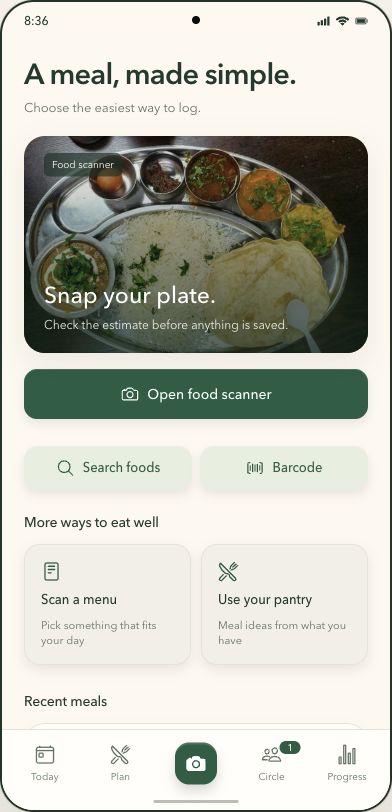
Photograph a meal, review the estimated foods and portions, then save it to your nutrition log. You stay in control of the final entry.
A photo, a barcode, or your own voice. Start with whatever’s easiest.
See estimated portions and nutrition. Check the details and make it yours.
Log the meal. Take the next little step. Keep your meal history in one place.
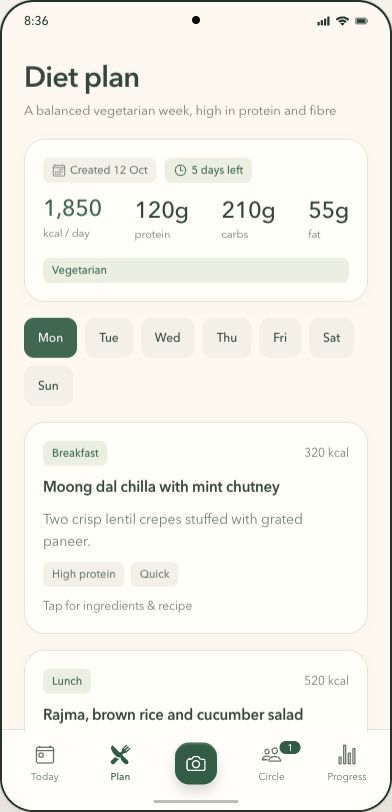
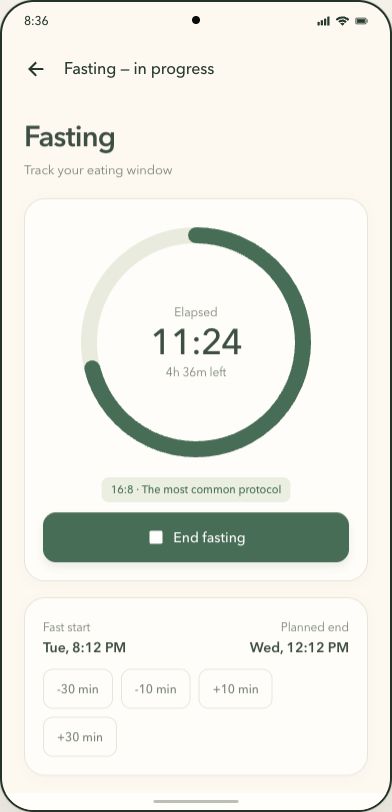
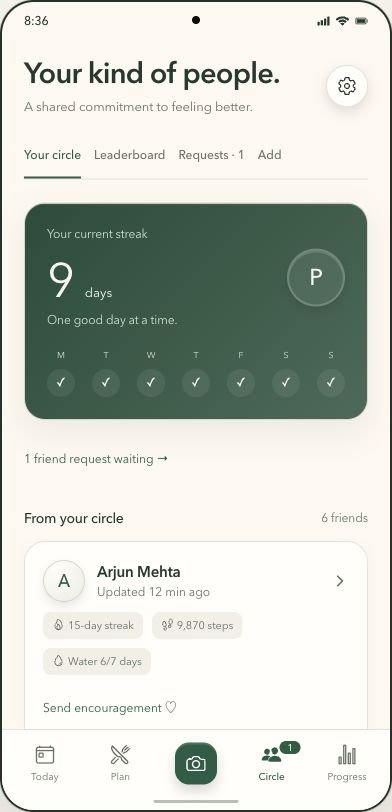
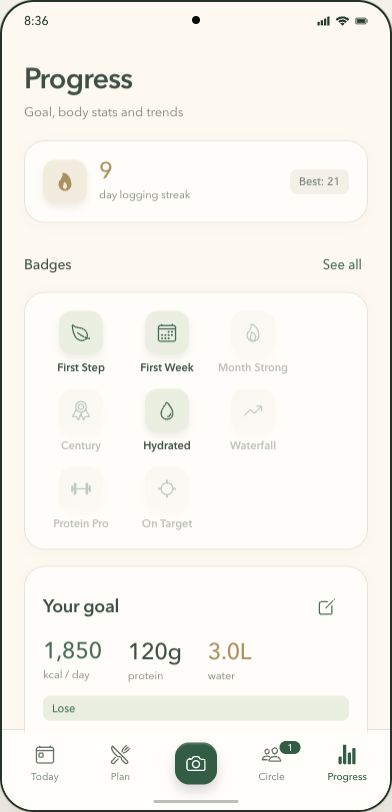
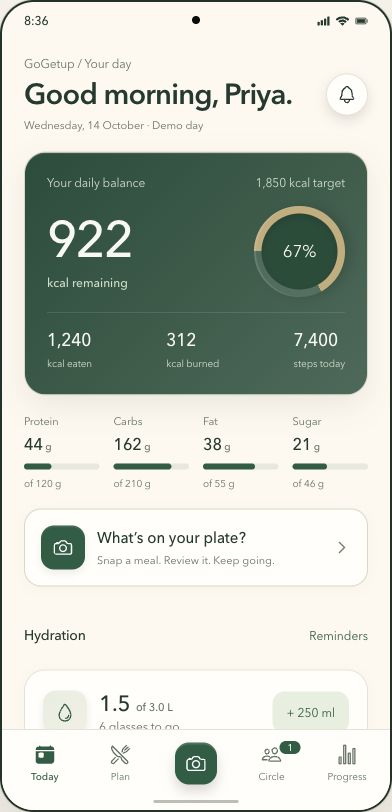
Explore the redesigned app: your daily balance, meal logging, weekly diet plan, fasting timer, Circle and progress. These are screenshots of the app prototype with sample data.
Screenshots of the redesigned app prototype. Illustrative data.
GoGetUp’s setup brings your measurements, goal, food preferences and daily routine together. The BMI snapshot gives you one piece of context before you choose your next step.
This is a preview of the app’s onboarding design. Goal timelines are planning estimates; real progress varies.
Try the animation with sample measurements.
Adult categories for ages 20+. BMI is a screening measure, not a diagnosis or a body-fat measurement. Illustrations do not predict your appearance. How BMI is interpreted ↗
The preview runs in your browser. Measurements are not sent or saved.
Explore the full feature set, from AI meal scanning and barcode logging to shopping lists, medicine reminders and private progress sharing. Explore the BMI and personal setup preview ↗
One photo gives you items, portions, calories and macros. Wrong guess? Tap the item and fix it; GoGetup remembers your correction for next time. Estimates are estimates, so you always get the last word.
Scan a packet or say "two eggs and toast". Drinks are counted in ml.
Misspell a dish and search still finds it, with local suggestions if you allow location.
Seven-day plans that are vegetarian, non-vegetarian or ayurvedic, built around your targets.
One list that adds up the week's meals, checked against the plan so nothing is missing.
Photograph a restaurant menu to explore meal options against your daily nutrition targets.
Type or speak what's in your kitchen and get meal ideas.
Medicine, meals, water and weekly tasks, with an optional loud alarm you can't sleep through.
16:8 and other protocols with a live timer, adjustable times and history.
Weight and calorie charts, logging streaks, badges and a weekly recap.
Ask a question, get a plain answer. Informational, never medical advice.
Read plain-language explanations of lab-report markers. This is informational, not a diagnosis; discuss your results with a qualified clinician.
Optional and for adults only. Add friends by email or invite code, share just the numbers you pick (streak, steps, water, protein) and send one-tap cheers. A friend's screen shows only what they chose to share.
Count steps through Health Connect on Android or Apple Health on iPhone, and track water against a daily goal.
Kilograms, pounds or stone, centimetres or feet. It follows your phone's region.
Log without a signal; it syncs when you're back online.
Download everything as a spreadsheet, or delete your account and data in one tap.
Choose a sample meal to preview how nutrition estimates appear. In the app, you can review and adjust items before logging.
Interactive concept demo. Sample values only.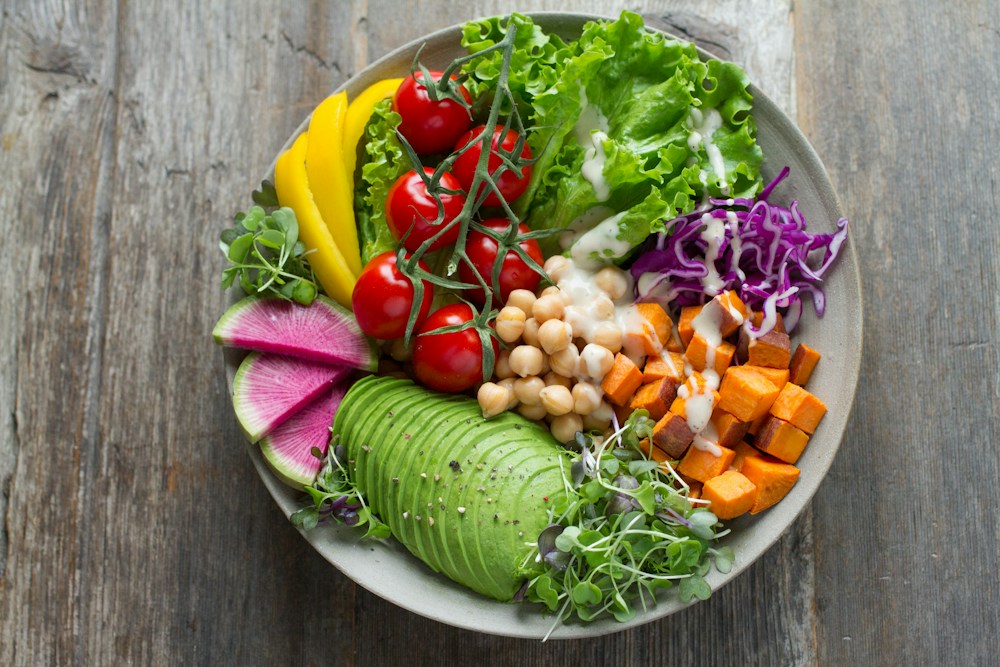 EXAMPLE MEAL
Meal plans, shopping lists, water and steps. Bring the little things into one place.
Reminders, fasting timers and progress tracking. A helping hand for the everyday.
Keep going with friends. Share the journey and bring a little encouragement along.
Privacy belongs in the plan. Stay in control with tools to export and delete your data.
Read our privacy policy ↗GoGetUp is an AI meal scanner and nutrition tracker being developed for Android and iPhone. It brings photo, barcode and voice meal logging together with diet plans, shopping lists, reminders, fasting, progress tracking and optional sharing with friends.
The app is designed to identify foods from a photo and estimate portions, calories and macronutrients. You review and adjust the estimate before saving the meal. AI estimates can be wrong and are not a substitute for professional nutrition advice.
GoGetUp is launching soon for Android and iPhone. A release date has not been announced. You can email support@gogetup.app to ask about availability.
Yes. The planned logging tools include barcode scanning, voice entry and food search, alongside photo scanning.
The BMI preview calculates weight in kilograms divided by height in metres squared, then animates the result and shows the adult category. Adult categories apply from age 20. BMI is a screening measure, not a diagnosis or a measure of body fat. Body illustrations are examples, not predictions of your appearance.
The onboarding design includes an eating style, combined preferences, allergies or exclusions, and optional details about your routine. The app also includes diet plans and matching shopping lists.
Circle is optional and intended for adults. The design lets you choose which progress summaries to share, such as streaks, steps, water or protein. Private meals, photos and health reports are not part of those shared summaries.
The screenshots show the redesigned app prototype with illustrative data. The sample scan on this website uses fixed example values and does not analyse photos. The BMI preview calculates the entered sample measurements locally in your browser.
Use the account deletion tools in the app when available, or follow the instructions on the Delete account page. You can also contact support@gogetup.app for help.
GoGetUp is launching soon on Android and iPhone.
Ask us to let you know when it’s ready.